GenZDoc for Android
100% Offline PDF Tools & Scanner
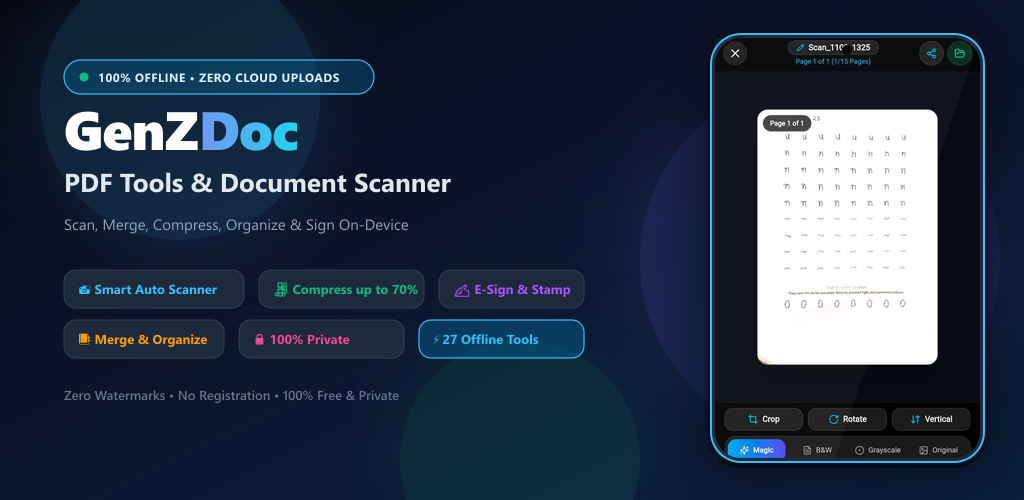
Auto-capture documents with instant edge detection, shrink bulky PDFs by up to 70%, e-sign agreements, and manage pages right on your phone — completely offline with zero cloud uploads.
GenZDoc Android
v1.0.0 Release100% FreeComplete offline document scanner & PDF tools. Zero cloud uploads, zero ads.
Designed for Speed, Simplicity & Zero Friction
Click through the tabs below to explore real screenshots of the document scanner and offline tools.
Smart Document Scanner
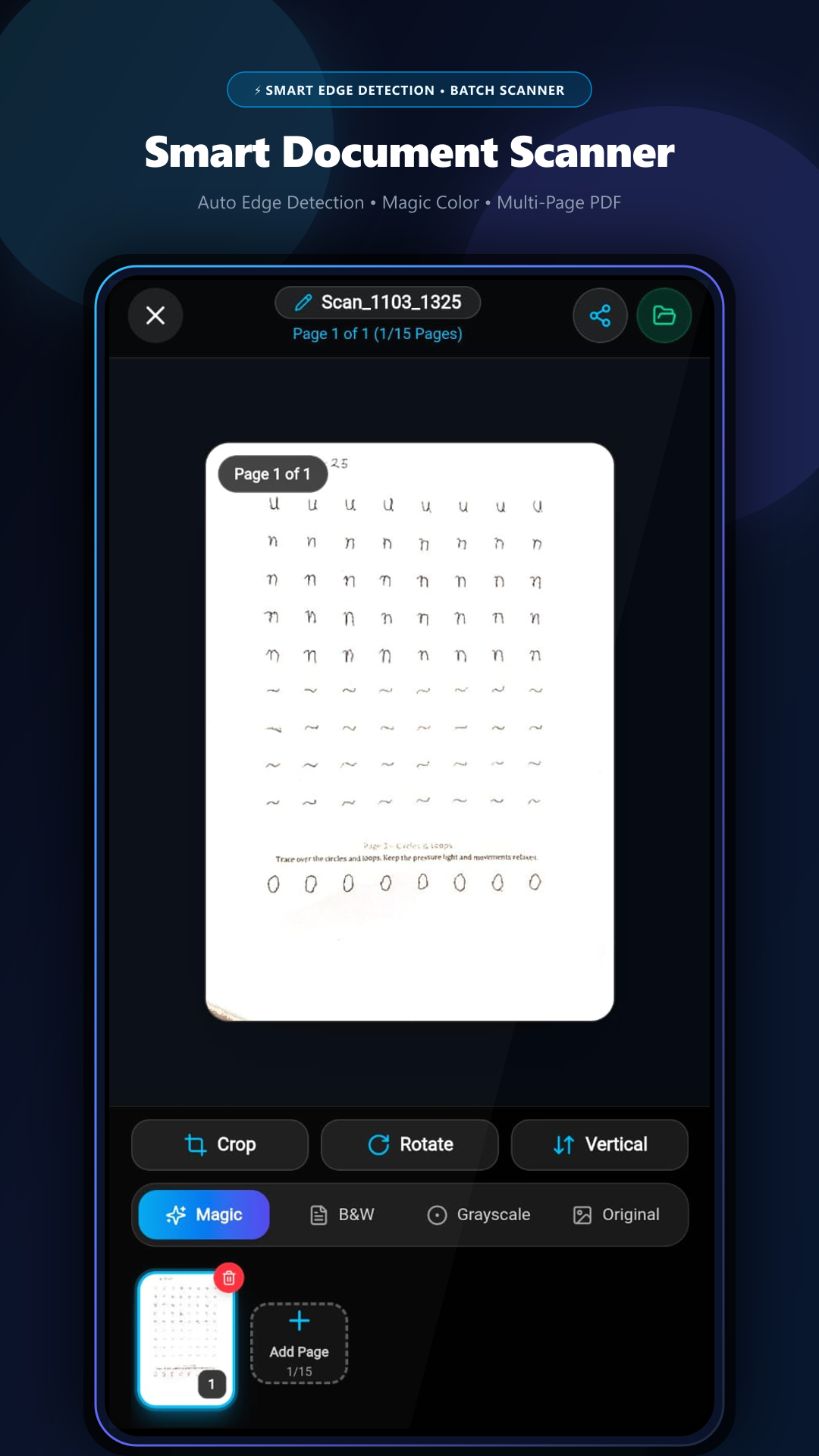
Instant quad edge detection with auto-crop, deskewing, and document enhancement filters (Magic Color, B&W, Grayscale). Batch scan up to 15 pages in one go.
Engineered for Android Productivity
Unlike traditional document apps that charge weekly subscriptions or upload files to overseas cloud servers, GenZDoc is 100% private, free, and runs on your phone.
Smart Document Scanner with Auto-Capture
Camera document scanner featuring instant quad edge detection, auto-deskewing, and perspective crop. Batch scan up to 15 pages in a single document with Magic Color, B&W Clean, and Grayscale filters.
Compress PDF (Save up to 70% MB)
Shrink oversized PDF files to easily fit WhatsApp (under 2MB), Gmail, and government job portals. Features 5 presets: Extreme (-70%), Recommended (-50%), Standard (-35%), High Quality, and Lossless Optimizer.
Visual Merge, Split & Page Grid
Combine multiple PDF files into one clean document. The visual page grid lets you reorder pages, rotate 90° clockwise, duplicate, or delete any page, plus split custom page ranges.
Digital E-Sign & AES-256 Security
Draw smooth digital signatures (Royal Blue, Violet, or Black ink) and place/resize them anywhere on contracts. Encrypt confidential files with military-grade 256-bit AES password protection.
Photos to PDF & Image Extractor
Instantly convert gallery photos (JPG/PNG) into professional multi-page PDFs with custom margins. Extract full-resolution JPG pages from existing PDFs and apply confidentiality watermarks.
100% Privacy & Zero Battery Drain
Everything runs strictly on your phone’s local hardware. Zero cloud servers, zero account sign-ups, zero tracking, and zero watermarks. Works flawlessly in airplane mode without internet.
Why You’ll Love the Android App
Browser tools are great for laptops, but the native Android App gives you true on-the-go superpowers:
| Feature | Web Browser | GenZDoc Android App |
|---|---|---|
| 100% Offline (No Wi-Fi / Data) | Needs internet to open | ✓ Works 100% in Airplane Mode |
| Auto Camera Edge Detection | Manual crop only | ✓ Instant Quad Edge Auto-Capture |
| Multi-Page Batch Scanning | Single upload | ✓ Up to 15 Pages in 1 Tap |
| File Security & Privacy | Browser sandbox | ✓ 100% Local Phone CPU |
| App Size & Storage | Browser cache | ✓ Ultra-lightweight & Fast |
| Watermarks & Subscriptions | Free | ✓ 100% Free Forever |
How to Install the APK in 3 Steps
Android makes installing official APKs quick and straightforward:
Download the APK
Tap the "Download APK (5.1 MB)" button above to save GenZDoc_PDF_Tools_Release.apk directly to your device.
Allow Installation
Open your notification drawer or Downloads folder and tap the APK. If Android displays "File might be harmful", tap "Download anyway" or allow installation from your browser.
Launch & Work Offline
Tap "Install". Once installed, launch GenZDoc to scan, compress, and edit documents completely offline with zero accounts required!
📋 Technical Specifications
Frequently Asked Questions
Everything you need to know about the GenZDoc Android application.
Is the GenZDoc APK safe to install on Android?
Yes, 100% safe. This is the official, signed release build compiled directly from the verified GenZDoc repository. It contains zero malware, zero third-party trackers, zero advertising SDKs, and does not require invasive permissions.
Why should I install the APK instead of using the website?
The native Android app gives you direct hardware camera integration with instant auto-capture and quad edge detection, batch scanning up to 15 pages into a single PDF, and full offline capability without needing any internet connection or browser tab.
Does GenZDoc upload my documents to any cloud server?
Never. All document scanning, mathematical transformations, compression, PDF merging, and password encryption run locally on your phone’s CPU. Your sensitive documents never leave your device.
Will the app work in Airplane Mode or without Wi-Fi?
Yes. Every tool in the GenZDoc app operates 100% offline. You can scan receipts, compress heavy reports, sign agreements, and reorganize documents in flights, remote locations, or anywhere without cell service.
Are there any hidden watermarks, fees, or page limits?
None! GenZDoc does not stamp any watermarks onto your documents, does not force subscriptions, and does not ask you to create an account.
When will GenZDoc be on the Google Play Store?
The app package has been prepared and formatted for Google Play Store submission. While Google completes its verification review, you can download and use the official release APK directly today!
Get Your 100% Offline PDF Toolkit Now
Join thousands of students, freelancers, and professionals who handle documents privately on their phones. Free forever, zero watermarks, 100% offline.