Best Image Format for Website SEO (JPG, PNG, WebP & AVIF)
If you've ever waited painfully long for a website gallery to load, you already know why this matters. Images are historically the absolute heaviest, most unwieldy assets on a webpage. But what most website owners don't realize is that the specific file format you choose directly dictates your page load speed — which Google strictly uses as a core ranking signal. Let's cut through the technical jargon and look at exactly which image formats you should be uploading to your site right now, and which ones are secretly dragging your SEO down.
The GenZDoc team builds free, privacy-first file tools and writes practical guides on PDF compression, image conversion, and everyday file management.
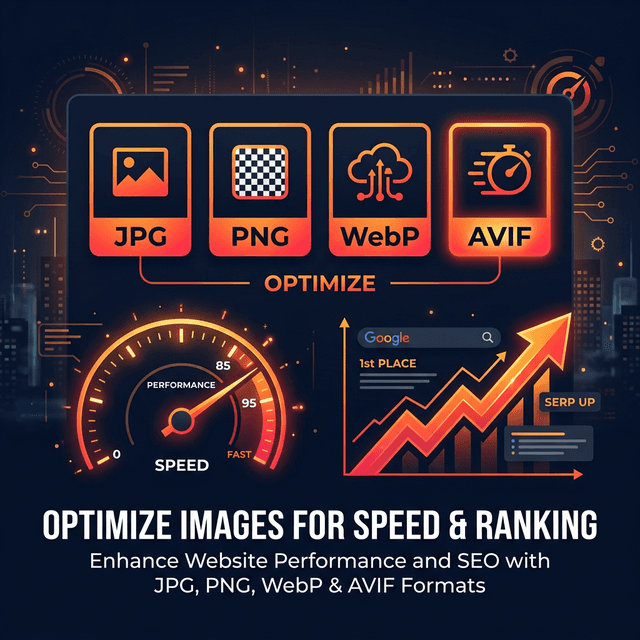
Real-Life Example: The E-Commerce Disaster
Let's talk about a scenario I see all the time. An online store owner hires an expensive photographer to shoot their new product line. The photographer delivers stunning, absolute maximum-resolution PNG files (around 12MB each). The owner enthusiastically uploads a gallery of 8 images directly to their landing page.
What happens next is devastating. A customer clicks onto the page from their mobile phone on a 4G connection. They sit there looking at a blank white screen as the browser tries to download nearly 100MB of unoptimized PNG data. After 4 seconds, the customer gives up and clicks the "Back" button to go to a competitor. Not only did the store lose a sale, but Google specifically tracked that "bounce" and penalized the page's search ranking for being too slow. Choosing the correct, lightweight format is quite literally the difference between making a sale and losing a customer.
Why Image Format Matters for SEO
Google carefully utilizes what they call "Core Web Vitals" to evaluate your site. The most important metric in that bundle is the Largest Contentful Paint (LCP) — which simply measures how quickly the absolute main content of a page loads.
In 90% of cases, your hero image is the LCP element. If your hero image is a massive 4MB PNG file when it critically should have been a 180KB WebP file, Google notices the resulting delay immediately. And frankly, so do your human visitors. It signals an objectively poor user experience, pushing you further down the search results.
53%
of mobile users abandon a page that takes more than 3 seconds to load
~60%
of a typical modern webpage's total bytes are heavily composed of images
30%
smaller files on average achieved simply by switching from standard JPG to WebP
Format Comparison: JPG vs PNG vs WebP vs AVIF
Every format was engineered to solve a different visual problem. Applying them blindly is where most site developers run into trouble. Here is how they stack up.
| Format | Best For | Compression | Transparency | Browser Support |
|---|---|---|---|---|
| JPG | Photos | Good | ✕ | Universal (100%) |
| PNG | Logos, UI elements | Fair | ✓ | Universal (100%) |
| WebP | Virtually everything | Excellent | ✓ | 97%+ modern browsers |
| AVIF | Photos (Next-gen) | Best | ✓ | 90%+ browsers |
| SVG | Vectors, flat icons | Infinite | ✓ | Universal |
The Simple Decision Guide
Still confused? Just follow these extremely straightforward rules when preparing images for your site:
📸 Real photographs → Use WebP (or JPG as fallback)
WebP gives you significantly better quality at a shockingly 30% smaller file size than old JPGs. You should honestly be using WebP for all your product images, sprawling hero graphics, and standard blog photos in 2026.
🎨 Logos, icons, UI elements with transparency → Use SVG or PNG
SVG is vector-based, so it is resolution-independent and scalable — which makes it ideal for crisp logos. Use PNG only when SVG isn't technically possible and you need a transparent, cutout background.
📊 Charts and graphs → Use SVG or PNG
Charts contain sharp, high-contrast edges and embedded text that physically blurs horribly when crammed into a JPG. PNG or SVG will securely keep them sharp and fully readable at all modern screen resolutions.
🖥️ Screenshots → Use WebP or PNG
Digital screenshots mix photo-like content with text and flat UI elements. Modern WebP handles both well. PNG acts as a safe fallback if you need guaranteed text sharpness.
For a much deeper, nuanced comparison of the two absolute most common legacy formats, see our related article: PNG vs JPG: Which Format Should You Use?
Common Mistakes to Avoid
- Uploading raw camera files: Never upload untampered pictures straight from your iPhone or DSLR (which can be 5MB to 20MB in bulk size). Always, always compress them drastically before they ever touch your CMS dashboard.
- Using PNG for real-life photos: PNG handles color differently than JPG. Saving a portrait photo as a PNG results in a large file for no visible benefit in quality. Reserve PNG for graphics and flat illustrations.
- Not utilizing proper dimensions: If the physical container on your website is exactly 600px wide, you shouldn't upload a 4000px wide image. It forces the user's phone browser to download massive unneeded data only to awkwardly shrink it locally. Always resize before uploading.
Pro Tips for Image Implementation
💡 Audit your heaviest pages frequently
Run your highest-traffic landing pages through Google PageSpeed Insights at least once a month. It will explicitly call out exactly which specific images are too heavily formatted and practically handing you a roadmap to faster load times.
💡 Set a strict absolute maximum weight limit
Implement a hard rule for your content team: no image over 250KB ever gets uploaded to the site, period. For average blog images, you should comfortably aim for under 100KB using modern WebP compression. It sets a healthy standard.
How to Convert to WebP (Free)
If you currently have a giant pile of outdated JPGs and PNGs that you badly need to convert to lightweight WebP for your website architecture, there is a simple method. The fastest, most secure way:
Open GenZDoc Image Compressor
The powerful browser compressor lets you easily optimize images and rapidly select your desired output format.
Upload Your Image
JPG, PNG, TIFF and other extremely common formats are all universally supported natively.
Set Quality and Download
Slide to compress to your desired visual quality. Your heavily optimized WebP image is ready for the web within seconds.
SEO Best Practices for Web Images
Use highly descriptive filenames. Things like "blue-running-shoes-size-10.webp" ranks drastically better than "IMG_4829.jpg". Google bots literally read image filenames actively to understand context.
Always thoroughly write alt text. This clearly describes the image for essential screen readers and visual search engines. Be deeply specific: "man compressing PDF file on laptop" easily beats just "man with laptop".
Size images strictly to their tight display dimensions. As discussed earlier, a massive 4000px image painfully displayed directly at 800px is 25× more excessive data than necessary.
Use lazy loading. Add `loading="lazy"` to images below the initial fold. They won't load until the user scrolls to them, reducing initial page weight.
Target aggressively under 100KB per image. This strict margin is exactly the primary threshold where image assets beautifully stop acting as a significant page speed drag. See our full related coverage here: Compress Images Without Losing Quality.
The Impact on Core Web Vitals
Google's Core Web Vitals all factor in image optimization:
LCP (Largest Contentful Paint)
It should be under 2.5 seconds. If your hero image up top is bloated, it tanks this score. Compress and serve WebP or better.
CLS (Cumulative Layout Shift)
Rogue images loading randomly without strictly pre-defined width and height attributes cause chaotic, ugly layout shifts as they spontaneously load. Always physically specify strict dimensions in your underlying HTML syntax.
INP (Interaction to Next Paint)
Bloated, heavy, resource-draining pages (loaded with fully unoptimized image arrays) make the actual web browser painfully sluggish. Smaller file formats = much faster interactions = a significantly better INP grade across the board.
Optimize Your Web Images Now
Try our free image compressor built for photographers, web developers, and marketers.
Open Image Compressor →